
API Key
To be able to use the AirSaas API, you need to obtain your API key. To do so, follow those steps:
- Log in to AirSaas
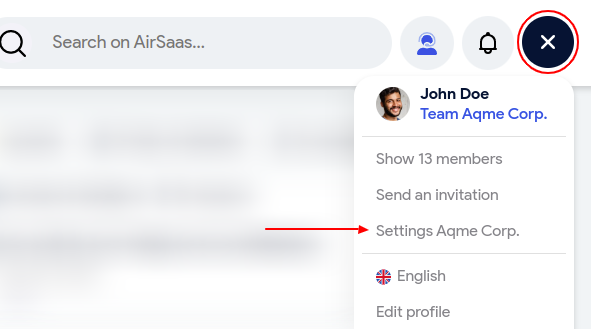
- Open your personal menu at the top right of your window, and click on the settings of your workspace
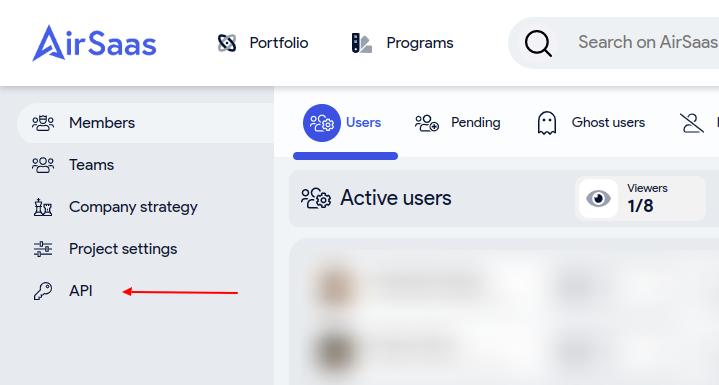
- On the left panel, click on the API item
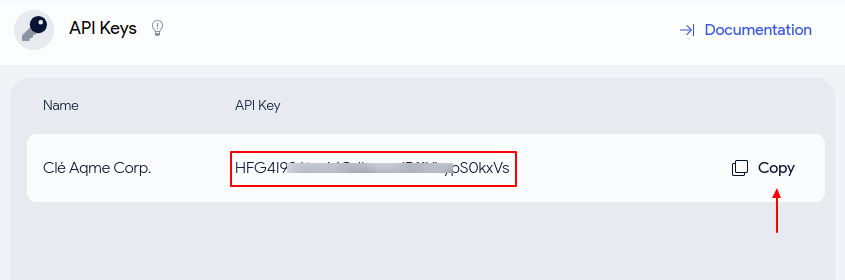
- Your API is the 32 characters string displayed. To copy it, just click on the Copy button
API keys are only available for Administrators of a workspace.
To learn how to use the API Key, read our authentication reference.
Updated over 1 year ago
Did this page help you?